

Setting Up a Home Office on Budget: Complete Guide
Editorial TeamTable of Contents
- Prioritize Essential Equipment First
- Cheap Home Office Desk Ideas That Actually Work
- Ergonomic Office Chair Budget Options
- Lighting and Visibility for Video Calls
- DIY Home Office Organization and Storage Solutions
- Cable Management and Desk Space Optimization
- Creating a Functional Workspace on a Shoestring Budget
Last Updated: August 24, 2026
Prioritize Essential Equipment First
Setting up a home office on budget means identifying which pieces actually drive productivity, then finding affordable versions that deliver. Most remote workers waste money on items they rarely use while skimping on foundations that matter most.
Start by asking: what do I physically interact with for eight hours a day? Your answer determines spending priority. A quality desk chair ranks higher than decorative elements. A functional desk beats a Pinterest-worthy setup with no room to work. Adequate lighting matters more than trendy accessories.
According to ergonomic research from the American Chiropractic Association, poor workspace setup contributes to musculoskeletal strain that compounds over months. You can prevent it with intentional choices.
Allocate your budget in this order: first, a chair that supports your back for extended sitting; second, a desk at correct height for your arms and screen; third, lighting that reduces eye strain; fourth, cable management. Everything else is secondary.
This means spending more on fewer items rather than filling your space with budget options that don't perform. A single solid desk chair beats three cheap chairs you'll replace within a year. The math works in your favor when you prioritize function over quantity.
Cheap Home Office Desk Ideas That Actually Work
The desk is your command center. It needs to accommodate your monitor, keyboard, and at least one other item without feeling cramped. It needs to be at a height where your elbows rest at roughly 90 degrees when typing.
A basic table from a home goods retailer works if it's sturdy and the right height. Look for something in the 48-60 inch range. Particle board tables are fine; they're stable and cost a fraction of solid wood.
Floating shelves mounted to the wall create a desk surface for less than a traditional desk. You'll need to ensure the wall supports your equipment weight and the height works for your body, but this saves floor space in small rooms.
A simple wooden door on sawhorses or metal legs creates a functional desk for under fifty dollars. This DIY approach gives you a large work surface and teaches you what you actually need.
Repurposed furniture works if you're creative. An old dresser becomes a desk. A sturdy bookcase positioned horizontally becomes a desk with built-in storage. Stability matters more than the source of the furniture.
Ergonomic Office Chair Budget Options
A budget office chair isn't an oxymoron if you know what to prioritize. You don't need a gaming chair or a five-thousand-dollar executive model. You need something that supports your lower back, allows adjustable height, and won't collapse after six months.
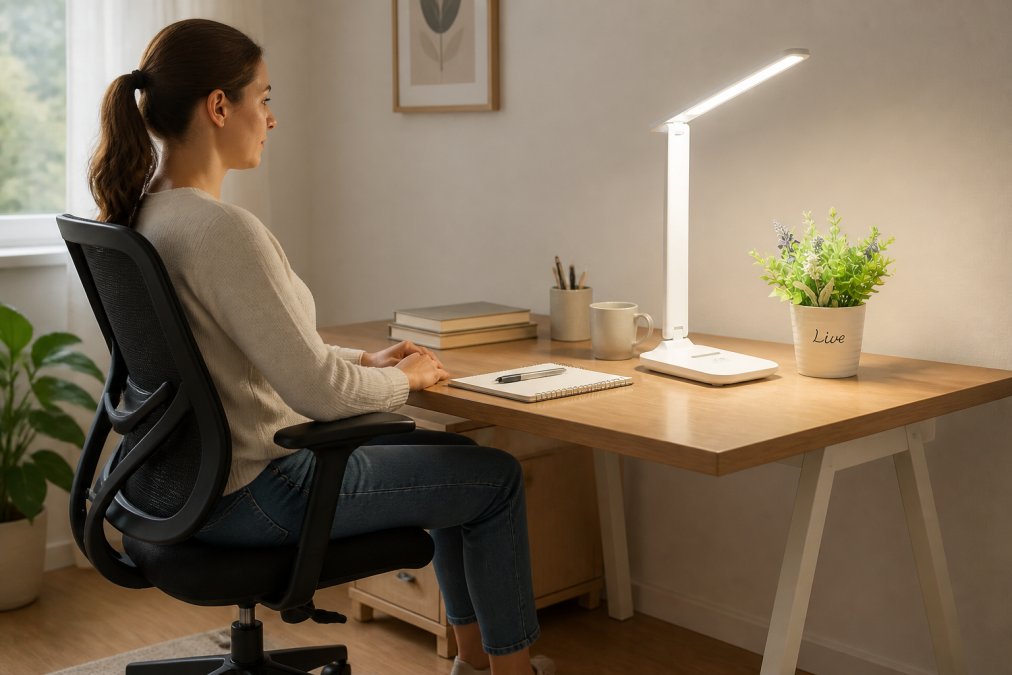
Look for chairs with these features: adjustable seat height, lumbar support, and a five-point base for stability. Fabric seats breathe better than leather for long hours. Armrests should be adjustable or removable.
Task chairs designed for office use typically cost between sixty and one hundred fifty dollars and deliver better support than gaming chairs at the same price point. They're built for eight-hour workdays, not aesthetics. The padding is firmer and support is practical.
Used office chairs from liquidation sales or online marketplaces offer exceptional value. Many businesses upgrade regularly, and their barely-used chairs end up available for a fraction of retail price. Inspect the wheels, test height adjustment, and check that the base isn't cracked.
The worst choice is a cheap dining chair or stool. Your back will remind you by afternoon. This is one area where skimping creates problems that follow you into evening and weekend.
Lighting and Visibility for Video Calls
Lighting affects how you look on video calls and how your eyes feel after hours at the screen. You need enough light that your face is visible without shadows, and you need to reduce glare on your monitor.
Natural light is free and excellent if you have a window. Position your desk so light comes from the side or behind your monitor, not directly in your eyes. If you're backlit by a window, your face appears dark to video callers.
For supplemental or primary artificial lighting, an adjustable LED desk lamp delivers excellent results at reasonable cost. The American Academy of Ophthalmology notes that task lighting reduces eye strain during extended screen work. Look for lamps with adjustable brightness and color temperature. Cooler light (5000-6500K) helps with alertness; warmer light (3000-4000K) reduces strain during longer sessions (peer-reviewed research).

A basic LED desk lamp costs fifteen to thirty dollars and works better than overhead lighting alone. Position it to the side of your monitor, not directly behind it. Many affordable lamps include USB power options, eliminating an extra power cord.
String lights or affordable clip lamps positioned around your workspace create ambient lighting that softens harsh shadows. These cost five to fifteen dollars and work well as supplemental lighting.
Avoid placing your light source directly above you. Overhead-only lighting creates shadows under your eyes and makes you look fatigued on video calls. Combine task lighting and ambient lighting for a more professional appearance.
DIY Home Office Organization and Storage Solutions
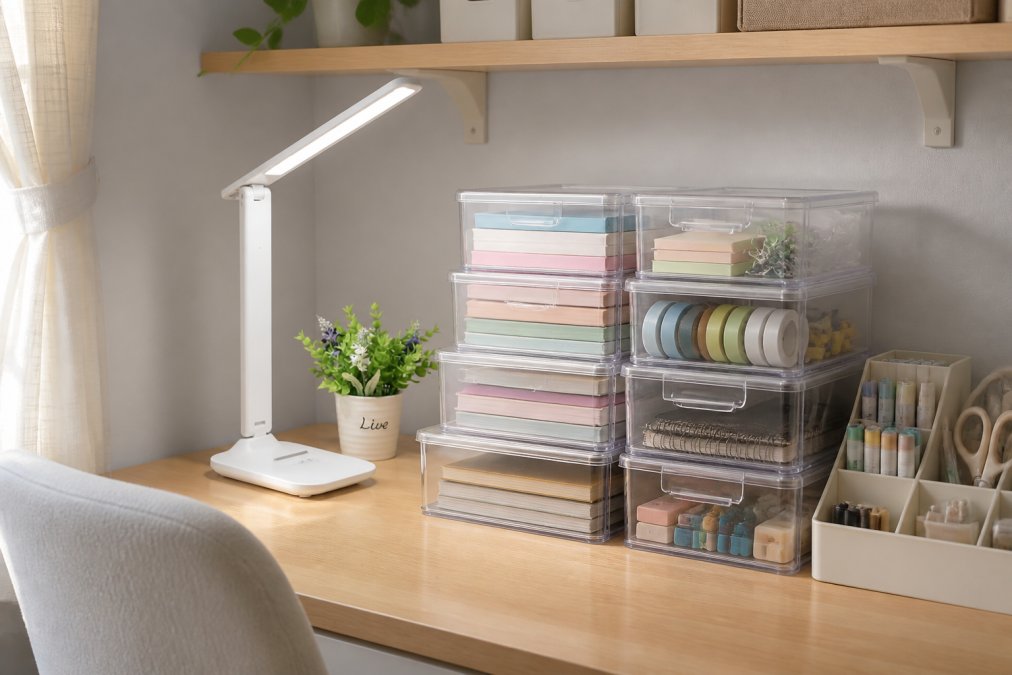
Organization prevents the mental friction that drains productivity. When you know where everything is, you spend less time searching and more time working.
Transparent storage boxes let you see what's inside without opening them. They stack efficiently, cost under twenty dollars, and work on shelves or under desks. The visibility factor is key; you're more likely to use supplies if you can see them.
PracticalHomeEssentials.com offers an Office home desktop cosmetics stationery transparent storage box with drawer design that costs twenty-one dollars and provides multiple compartments for pens, papers, and small supplies.
Vertical storage maximizes space in small rooms. Wall-mounted shelves cost fifteen to forty dollars and provide storage without eating floor space. This works particularly well in studio apartments or home office nooks.
Repurposed containers become storage with minimal cost. Glass jars hold pens. Small boxes organize cables. Baskets hold papers. The key is grouping similar items so you can find what you need.
Labels make storage systems work. A simple label maker transforms random containers into an organized system. When everything has a designated spot, you maintain the organization instead of descending into chaos.

Cable management prevents visual chaos. Velcro cable ties cost a few dollars for a pack of ten. Adhesive cable clips cost under five dollars. These tools keep cables behind your desk instead of tangled on your work surface.
Cable Management and Desk Space Optimization
Cables create visual clutter and physical chaos if you don't manage them intentionally. Effective cable management costs almost nothing.
Route cables behind your desk or along the wall using adhesive clips or velcro ties. Keep them out of sight and out of the way. This transforms a tangled mess into an organized system.
Label your cables at both ends so you know which is which without tracing them. Use small pieces of tape with pen markings, or invest in a label maker. When you need to unplug something, you'll spend seconds instead of minutes.
Power strips consolidate multiple outlets into a single location. Position one under your desk or on a shelf, then plug everything into it. This keeps cables organized in one area and lets you turn off your entire setup with a single switch.
Desk space optimization means creating zones: monitor and keyboard zone, writing and notes zone, current project zone. Each zone has a purpose, and items stay in their zone.
A desk pad or mat defines your work surface and creates a visual boundary. It costs ten to twenty dollars and prevents items from sliding around. More importantly, it creates psychological separation between "work zone" and "everything else."
Vertical space above your desk holds items you need to reference but not touch constantly. A small shelf, bulletin board, or picture frame with a calendar keeps these items visible but off your work surface.
Creating a Functional Workspace on a Shoestring Budget
A functional home office on budget comes down to intentional choices rather than expensive purchases. You're allocating resources to what matters most.
Start with the essentials: a chair that supports your back, a desk at the right height, adequate lighting, and organization that prevents chaos. These four elements determine whether your workspace supports productivity. Everything else is secondary.
Work with what you have and upgrade gradually. If you're starting with a folding table, that's fine. As you identify what's not working, you replace that specific item. This spreads costs over time and prevents waste.
Second-hand markets offer significant savings. Office liquidation sales, online marketplaces, and local buy-sell groups have furniture and equipment at a fraction of retail price. A used office chair built for commercial use often costs less than a new budget model and performs better.
DIY solutions work when you understand what you're trying to accomplish. A door on sawhorses is a desk. A shelf mounted to the wall is storage. Velcro ties manage cables. These solutions cost almost nothing and work as well as expensive alternatives.
PracticalHomeEssentials.com provides curated options for every element of your home office setup. The Adjustable LED Desk Lamp with Touch Control and Eye-Care Technology costs fifteen dollars and delivers the lighting you need for video calls and extended screen work. The P21 Wireless Thermal Label Maker at thirty-nine dollars lets you organize and label your storage system properly.
The workspace that works is the one you'll actually use. A minimalist setup you maintain beats an elaborate system you gradually abandon. A functional arrangement beats a beautiful one that creates problems. Build your home office on budget by prioritizing what matters: your comfort, your productivity, and your ability to work without distraction.
Setting up a home office on budget is entirely achievable when you focus on the fundamentals. Prioritize ergonomic support, adequate lighting, and functional organization over trendy or decorative elements. PracticalHomeEssentials.com offers quality essentials like adjustable LED desk lamps and transparent storage solutions that deliver real value without premium pricing. With intentional choices and budget-friendly options, you'll create a workspace that supports eight hours of focused work every single day.

Frequently Asked Questions
What are the essential items for a functional home office on a budget?
Start with a sturdy desk surface, an ergonomic chair that supports posture, task lighting, and storage solutions. A reliable internet connection and a monitor or laptop are non-negotiable. Add a desk lamp like the Adjustable LED Desk Lamp with Eye-Care Technology ($15) for comfortable task lighting. Everything else, decor, additional shelving, and accessories, comes after these core items are in place.
How can I create a home office in a small space on a budget?
Use vertical space for storage instead of expanding horizontally. Wall-mounted shelves, over-door organizers, and transparent storage boxes maximize functionality without taking up floor space. Position your desk near a window for natural light. A compact monitor stand with built-in storage doubles as both workspace and organization. Focus on minimalist decor to avoid visual clutter in tight quarters.
What are the best ways to save money when setting up a home office?
Buy second-hand furniture from local marketplaces or thrift stores, quality desks and chairs are often available at a fraction of retail price. DIY cable management using clips and ties costs pennies. Repurpose existing items: use a filing cabinet as a desk base, stack books as a monitor stand, or convert shelving into workspace. Invest in lighting and ergonomics first; everything else can be added gradually.
How do I set up an ergonomic workspace without spending a fortune?
An ergonomic setup doesn't require expensive furniture. Choose a chair that supports your lower back, even if it's budget-friendly. Position your monitor at eye level using books or a stand. Keep your keyboard and mouse at elbow height. Add a desk lamp for task lighting to reduce strain. These adjustments cost little but significantly improve posture and reduce fatigue during long work sessions.
This article was written using GrandRanker