

Best Home Office Furniture: 2026 Buying Guide
GrandrankerTable of Contents
- What Home Office Furniture Does Every Workspace Actually Need?
- Ergonomic Office Chair Features Worth Paying For
- How to Set Up an Ergonomic Workstation at Home
- Small Home Office Storage Ideas That Actually Work
- Task Lighting and Desk Accessories for Your Home Office Furniture Setup
- Modern Design Styles and Sustainable Materials to Consider
- How to Furnish a Home Office on a Budget
- Conclusion
Last Updated: August 21, 2026
Setting up a productive workspace at home starts with one decision that shapes everything else: your home office furniture. The wrong desk leaves you cramped. The wrong chair wrecks your back. The wrong storage system means you're hunting for documents instead of doing actual work. At PracticalHomeEssentials.com, we've put together this 2026 buying guide to help you build a workspace that's functional, comfortable, and worth the investment.
Below, we cover every major category of home office furniture, from ergonomic chairs and adjustable-height desks to smart storage and task lighting, plus cable management, small-space layouts, and sustainable materials.
What Home Office Furniture Does Every Workspace Actually Need?
A functional home office requires four core categories: a desk with adequate surface space, a supportive chair, storage solutions, and proper lighting. Think of these as a system, not separate purchases.
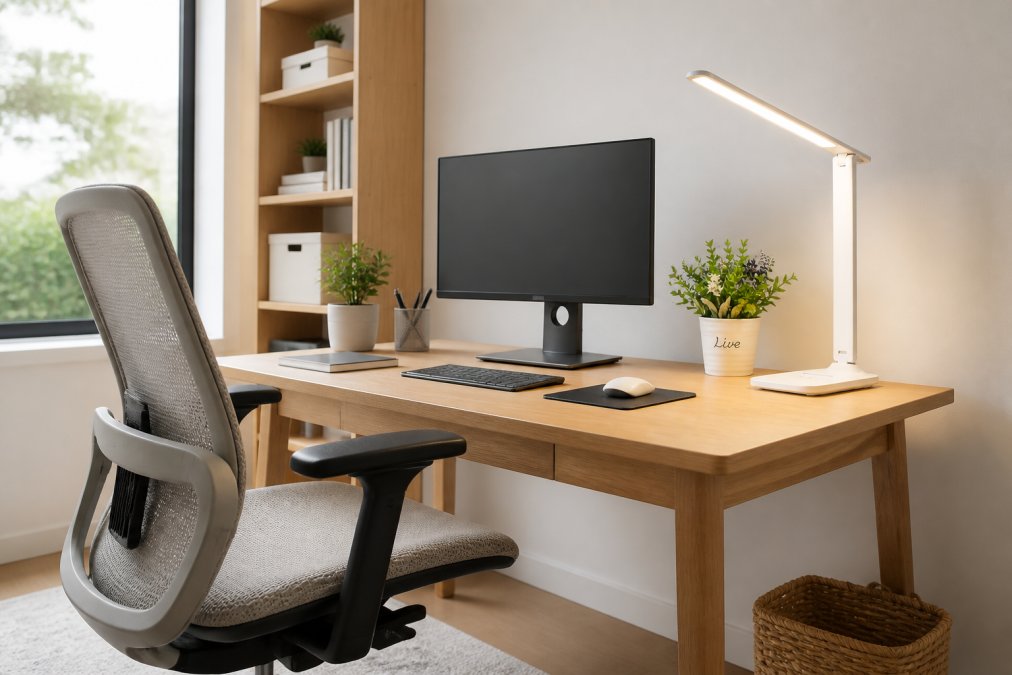
Desks and Workstations: Size, Style, and Surface Space
The desk is the anchor of any home office. For most remote workers, a surface of at least 48 inches wide gives enough room for a monitor, keyboard, and working documents. If you're using dual monitors or a large laptop alongside peripherals, 60 inches is more comfortable.
Adjustable-height desks have moved from novelty to near-standard for serious work-from-home setups. According to ergonomics guidance from the Occupational Safety and Health Administration, alternating between sitting and standing throughout the workday reduces musculoskeletal strain, the most common complaint among remote workers.
Style matters too, but shouldn't override function. Modern designs with clean lines work well in small spaces. L-shaped workstations maximize corner space and separate computer work from reference materials.
What most buyers miss: Surface depth matters as much as width. A desk shallower than 24 inches puts your monitor too close, forcing your eyes to work harder all day.
Bookcases, Shelving Units, and Display Storage
Shelving handles overflow storage and gives the space a professional look. Open bookcases work well for books and binders. Closed-door units hide clutter.
Modular shelving is the smarter choice for renters or anyone who moves regularly. Units that stack, reconfigure, or separate adapt to different layouts without requiring new furniture.
For display shelving, wall-mounted units free up floor space and create a more expansive feel in compact rooms.
Ergonomic Office Chair Features Worth Paying For
The biggest mistake people make is spending generously on the desk and cutting corners on the chair. You sit in the chair for hours.
Ergonomic office chair features worth prioritizing:
- Lumbar support that's adjustable in both height and depth.
- Seat height adjustment with a range that lets your feet rest flat on the floor with knees at roughly 90 degrees.
- Adjustable armrests that allow your elbows to rest at desk level without shoulders creeping upward. The Study Chair Ergonomic Office Chair available at PracticalHomeEssentials.com includes adjustable armrests and height adjustment.
- Seat depth adjustment so the seat edge doesn't cut into the back of your knees.
- Breathable materials for the seat and back. Mesh backs reduce heat buildup during long sessions.
| Feature | Why It Matters | Priority |
|---|---|---|
| Adjustable lumbar support | Prevents lower back pain over time | Essential |
| Seat height range | Matches desk height and user height | Essential |
| Adjustable armrests | Reduces shoulder and neck strain | High |
| Seat depth adjustment | Improves circulation in legs | Medium |
| Breathable back material | Reduces heat and discomfort | Medium |
| Recline with tension control | Allows movement throughout the day | Nice to have |
According to ergonomic seating research from Cornell University's Human Factors and Ergonomics Research Group, a chair that allows dynamic movement reduces fatigue significantly during extended work sessions.

How to Set Up an Ergonomic Workstation at Home
Setting up an ergonomic workstation means adjusting your existing furniture to work with your body. The sequence matters: start with the chair, then set the desk height to match, then position the monitor, then address lighting and accessories.
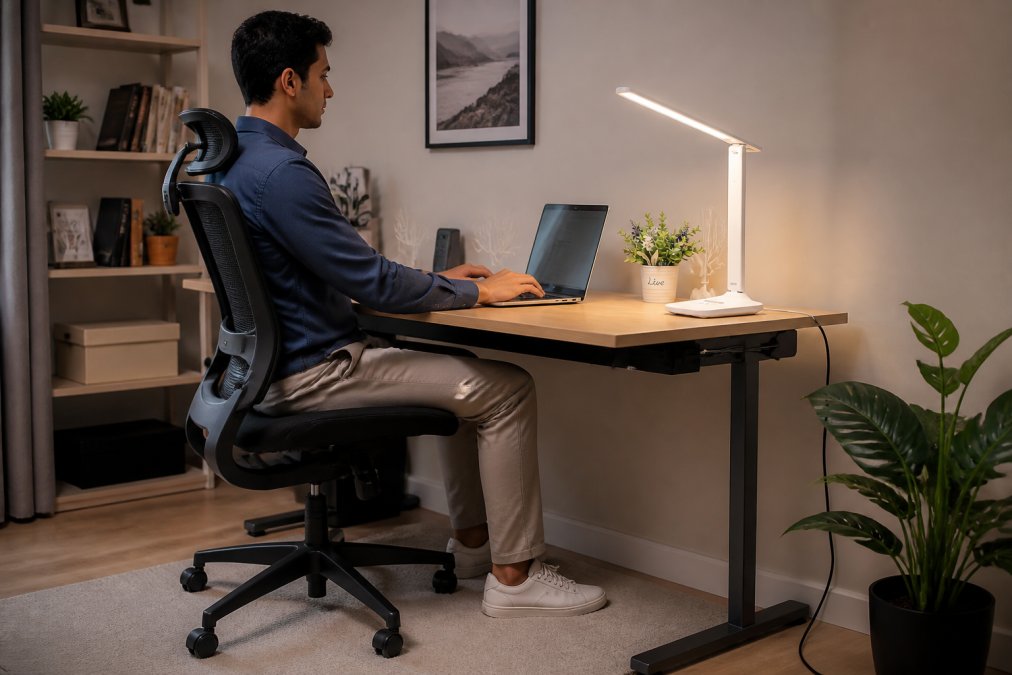
Step-by-step ergonomic workstation setup:
- Adjust chair height first. Sit with your feet flat on the floor. Your knees should be level with or slightly lower than your hips.
- Set desk height to match. Your forearms should rest on the desk surface with your elbows at roughly 90 degrees and your shoulders relaxed.
- Position your monitor. The top of the screen should sit at or just below eye level, roughly an arm's length away (approximately 50-70 cm from your face).
- Place your keyboard and mouse. Both should sit at elbow height, keeping your wrists neutral and straight.
- Add a footrest if needed. If your feet don't reach the floor comfortably after adjusting the chair, a footrest maintains proper posture.
- Check your lighting. Position task lighting to eliminate screen glare and illuminate your working surface without harsh shadows.
Cable Management: The Step Most People Skip
Cable management is the single most overlooked element of home office setup, and it's the one that most affects how the space feels to work in. A desk with visible cable tangles feels chaotic regardless of furniture quality.
Cable clips that attach to the desk edge route cords along a defined path. Cable sleeves bundle multiple cords into a single visual element. A power strip mounted underneath the desk surface removes floor-level tangles entirely.
Plan cable routing before placing furniture. Retrofitting cable management around an established desk is significantly more frustrating.
Small Home Office Storage Ideas That Actually Work
Small home office storage is about vertical space and hidden capacity, not floor space. Most compact workspaces have more usable wall area than their occupants realize.
Combine three layers: desktop organization for daily-use items, wall-mounted shelving for reference materials, and drawer or cabinet storage for everything else.
Small home office storage ideas that deliver real results:
- Desktop drawer organizers keep surfaces clear without eliminating easy access. The transparent desktop storage box with drawer at PracticalHomeEssentials.com ($21.16) works well for stationery, small accessories, and cables.
- Floating wall shelves above the desk add significant storage without consuming floor space.
- Filing cabinets with mobile bases can slide under the desk when not in use.
- Label everything. The P21 Wireless Thermal Label Maker ($39.00) from PracticalHomeEssentials.com produces clean, professional labels. Ink-free thermal printing means no cartridges to replace.
- Vertical file organizers on the desk surface keep active projects accessible without spreading across the work area.
The system you'll actually use is simpler than the system you think you need. Start with fewer containers and add only when a genuine need emerges.

Task Lighting and Desk Accessories for Your Home Office Furniture Setup
Lighting directly affects how long you can work comfortably. Poor task lighting causes eye strain within an hour or two. Good lighting lets you work a full day without fatigue.
The Adjustable LED Desk Lamp with Touch Control ($15.00) is a practical entry point. Eye-care technology reduces flicker, the swing arm adjusts to direct light precisely where you need it, and USB power keeps the setup clean. For a more design-forward option, the Ezra Table Lamp ($89.00) from Brightech includes three color temperature settings.

According to lighting guidance from the American Optometric Association, task lighting positioned to the side of the monitor significantly reduces screen glare and associated eye strain.
Desk accessories that earn their place:
- Sticky note cubes for quick capture. The Gõpta Stick'n Colorful Self-Adhesive Note Cube ($9.80) includes 250 sheets in four colors.
- A mug warmer for long sessions. The Electric Coffee Mug Heating Coaster ($16.28) keeps drinks at temperature without trips to the microwave.
- A desktop cooler/humidifier for summer months. The USB Mini Portable Air Cooler ($42.28) runs up to 6-8 hours on a single fill and doubles as a humidifier.
Modern Design Styles and Sustainable Materials to Consider
Modern and contemporary home office furniture tends toward clean lines, neutral palettes, and materials that don't visually crowd a small room. That aesthetic also ages well.
Solid wood and plywood-core furniture generally outlasts particleboard alternatives, particularly in pieces that bear weight or open and close repeatedly. The difference shows up after two or three years of daily use.
For buyers prioritizing sustainable materials, look for furniture certified by the Forest Stewardship Council (FSC), which verifies that wood comes from responsibly managed forests. The Forest Stewardship Council's certification standards provide a useful baseline for evaluating manufacturer claims. Bamboo is another durable, fast-regenerating option that's appeared more frequently in home office furniture collections.
Metal-frame desks and shelving units resist warping in humid environments and maintain structural integrity longer than wood alternatives at the same price point. A mixed-material approach, metal frame with a wood or laminate surface, often hits the best balance of durability and aesthetic.
For renters specifically: Furniture that disassembles cleanly and ships flat is worth prioritizing. Pieces that require permanent wall installation create problems when you move.
How to Furnish a Home Office on a Budget
Furnishing a complete home office without overspending requires sequencing purchases correctly. Not everything needs to be bought at once, and not everything needs to be bought new.
The budget home office furniture priority order:
- Chair first, always. This piece directly affects your health. A mediocre desk with a good chair is far more sustainable than the reverse.
- Desk second. A simple, appropriately sized desk surface serves the core function.
- Storage third. Start with what you actually need for current workload.
- Lighting and accessories last. These improve the experience but don't define the foundation.
Where budget cuts are acceptable:
- Shelving units (simple floating shelves are inexpensive and functional)
- Desk accessories (many effective options cost under $25)
- Decorative elements
Where budget cuts cost more long-term:
- The chair (poor posture leads to medical costs)
- The desk surface (a surface that's too small or too low creates permanent friction)
PracticalHomeEssentials.com carries options across multiple price points, with free shipping available, so you can build out a home office setup incrementally. Many practical accessories, including the LED desk lamp at $15.00 and the sticky note cube at $9.80, deliver genuine utility at minimal cost.
A complete functional home office setup doesn't require a large upfront investment when purchases are sequenced thoughtfully.
Good home office furniture is a productivity investment, not a decorating decision. The right setup reduces physical strain, keeps your workspace organized, and makes it easier to do focused work consistently. PracticalHomeEssentials.com offers a curated selection of home office essentials, from task lighting and desktop organizers to ergonomic seating, all with free shipping and a wide enough product range to furnish a complete workspace without juggling multiple retailers. Choose options that fit your space, your work style, and your budget, then build from there.
Frequently Asked Questions
Q: What furniture should I have in my home office?
A: A functional home office needs at minimum a desk with enough surface space for your monitor and work materials, an ergonomic chair with adjustable height and lumbar support, and at least one storage solution such as a filing cabinet, shelving unit, or desktop organizer. Task lighting is also essential. Once those core pieces are covered, accessories like a label maker, cable organizer, and desk lamp help keep the workspace productive and comfortable.
Q: How do I choose ergonomic furniture for my home office?
A: Start with seat height: your feet should rest flat on the floor with your knees at roughly a 90-degree angle. Look for chairs with adjustable armrests, lumbar support, and a cushioned seat. For your desk, the surface should sit at elbow height when you're seated. If budget allows, an adjustable-height desk lets you alternate between sitting and standing throughout the day, which reduces fatigue during long work-from-home sessions.
Q: How can I organize a small home office space effectively?
A: Vertical storage is your best option in a small space. Wall-mounted shelves, stackable organizers, and compact filing cabinets keep the floor clear. A transparent desktop storage box lets you see supplies at a glance without digging through drawers. Label everything with a portable label maker so items always go back where they belong. Choosing furniture with built-in storage, like desks with drawers, also cuts down on the number of separate pieces you need.
Q: What should I look for when buying a home office desk?
A: Surface area matters most: you need room for a monitor, keyboard, and any documents you reference regularly. Check that the desk height suits your chair, or choose one that's adjustable. Sturdy construction, whether solid wood, metal-framed, or high-density MDF, prevents wobble during typing. Cable management features like grommets or a rear channel keep cords off the surface. For small spaces, an L-shaped or corner desk maximizes usable area without taking over the room.
Q: What are the benefits of investing in a quality office chair?
A: A well-built ergonomic chair reduces lower back pain, improves posture, and helps you stay focused longer. Chairs with adjustable armrests, seat depth, and lumbar support let you dial in a fit specific to your body rather than adapting to a one-size design. Over a full work-from-home day, that difference is significant. A chair that keeps you comfortable and properly aligned is one of the highest-impact purchases in any home office furniture setup.
This article was written using GrandRanker